Horton IT Daily
Start With a Trusted Scan
A plain-English security check, our October Windows 11 upgrade guide, three government opportunities, cyber career webinars, and two cyber jokes.
Thursday, October 1, 2026
Archived issue: Prepared for 2026-10-01 and published October 2, 2026. News, event availability, and contract status reflect the original issue date; some deadlines have passed. Check the official notices before acting.
Good morning. Today’s practical step takes about two minutes: use the security tool already built into Windows before downloading a “cleanup” program from an ad or pop-up.
Two exploited flaws deserve attention
On September 25, the U.S. Cybersecurity and Infrastructure Security Agency added two flaws to its Known Exploited Vulnerabilities catalog. “Known exploited” means attackers have used the flaw in the real world.
- CVE-2026-65660 affects certain Microsoft SharePoint Server installations.
- CVE-2026-67279 affects MikroTik RouterOS, the software that runs some MikroTik routers.
What to do
- Ask your IT provider whether your organization runs SharePoint Server on its own equipment or uses MikroTik RouterOS.
- If the answer is yes, ask whether the vendor’s current security fix has been installed and whether the device has been checked for signs of compromise.
- Do not install a random patch sent by email. Use the vendor’s official update process.
Microsoft lists CVE-2026-65660 in its August 11 SharePoint Server 2019 security update. This warning is about server software managed by an organization. It is not an instruction for individual Microsoft 365 users to install a SharePoint patch themselves.
Run Windows’ built-in Quick scan
A Quick scan checks common places where harmful software often hides. Microsoft recommends it when you suspect malware or a virus.
- Select the Start button.
- Type Windows Security.
- Open the Windows Security app.
- Select Virus & threat protection.
- Select Quick scan.
- Wait for the result. If Windows reports a threat, follow the on-screen action. If the scan finds nothing but you are still worried, Microsoft says you may need a more thorough scan.
Windows 10 to Windows 11: keep your files and apps
You can usually upgrade a compatible computer without starting over. The normal upgrade is designed to carry your files forward, but some older apps may not work. Back up first. No upgrade can guarantee zero data loss.
Before you begin
- Check your computer. Open Microsoft’s PC Health Check guide, install the app if needed, and select Check now. It explains whether your computer qualifies.
- Make a backup. Copy important documents, photos, and other files to an external drive or confirm they have finished saving to OneDrive. Open a few backup copies to check them. A file backup does not copy every installed program.
- Prepare. Check with the makers of essential apps and printers about Windows 11 compatibility. Save your work and plug a laptop into power. For a work-managed computer, contact your IT administrator first.
Use Windows Update — the recommended route
- In Windows 10, open Start → Settings → Update & Security → Windows Update.
- Select Check for updates. Install offered Windows 10 updates, restart if asked, and check again.
- When Windows 11 is offered, select Download and install.
- Read the license terms. To continue, select Accept and install.
- When prompted, save your work and select Restart now. Let the computer finish; it may restart several times.
- Sign in. Open your important files and apps and test your printer. In Windows 11, check Settings → Windows Update for remaining updates.
No upgrade offer? Check PC Health Check’s result. A compatible computer may still have a temporary compatibility hold. Do not bypass the requirements. Ask for help resolving the result or choosing a supported replacement.
Microsoft says eligible Windows 10-to-11 upgrades are free. Standard Windows 10 support ended October 14, 2025. Guidance checked October 1, 2026. Sources: Microsoft installation steps and upgrade FAQ. This reference section appears in each October edition.
Two upcoming NIST cyber career webinars
Helping Students Chart a Cyber Career
October 21, 2026, 1:00–2:00 p.m. EDT
Virtual. Educators, advisers, students, and career changers can learn about practical career-mapping tools and the kinds of jobs included in the NICE Workforce Framework.
What Cyber Jobs Are Really Like
October 22, 2026, 1:00–2:00 p.m. EDT
Virtual. A panel will explain daily work across five broad cyber job areas, from governance and design to defense and investigation.
Event details can change. Recheck the official NIST page before attending.
Open SAM.gov Cybersecurity & IT Contracts
Open response windows checked October 1, 2026. The first two listings below are software opportunities; the third is specialized communications hardware repair.
These are public opportunities, not awards or recommendations. Read the full notice, amendments, attachments, and eligibility rules before spending time on a response.
Fortify On Demand software subscriptions
FDIC · Notice CORHQ-26-Q-0283
Due October 1, 2026, 5:00 p.m. CDT
Software subscriptions · Active solicitation. Industry code (NAICS) 513210: Software Publishers. No set-aside is listed, so this is not reserved for a specific small-business group. Read the subscription requirements and proposal instructions to confirm your eligibility. Amendment 0001 includes questions and answers.
FedRAMP Webex subscription maintenance
FDIC · Notice CORHQ-26-Q-0369
Due October 2, 2026, 12:00 p.m.
IT subscription maintenance · Active solicitation. Industry code (NAICS) 541519: Other Computer Related Services. No set-aside is listed. The request calls for a pricing and delivery schedule, technical contact, and applicable manufacturer agreements.
The SAM.gov field shows 12:00 p.m. EDT, while Amendment 0001 says 12:00 p.m. EST. Confirm that timezone conflict with the contracting contact before submitting. The amendment extends the earlier September 23 deadline.
Navy receiver repair and testing
NAVSUP · Notice N0038326QHA90
Due October 5, 2026, 4:30 p.m. EDT
Specialized repair and testing for a named receiver part. The public set-aside field is blank. Review the drawings, tooling, quality, and delivery requirements before deciding whether your firm is qualified.
SAM.gov is the source of record. A notice may be amended, extended, canceled, or restricted after this issue is published.
NASA began on October 1, 1958
The National Advisory Committee for Aeronautics became the National Aeronautics and Space Administration. NASA also notes that engineer William H. Dana reported to the High-Speed Flight Station that day and became the first NASA employee at that center.
The trusted first step
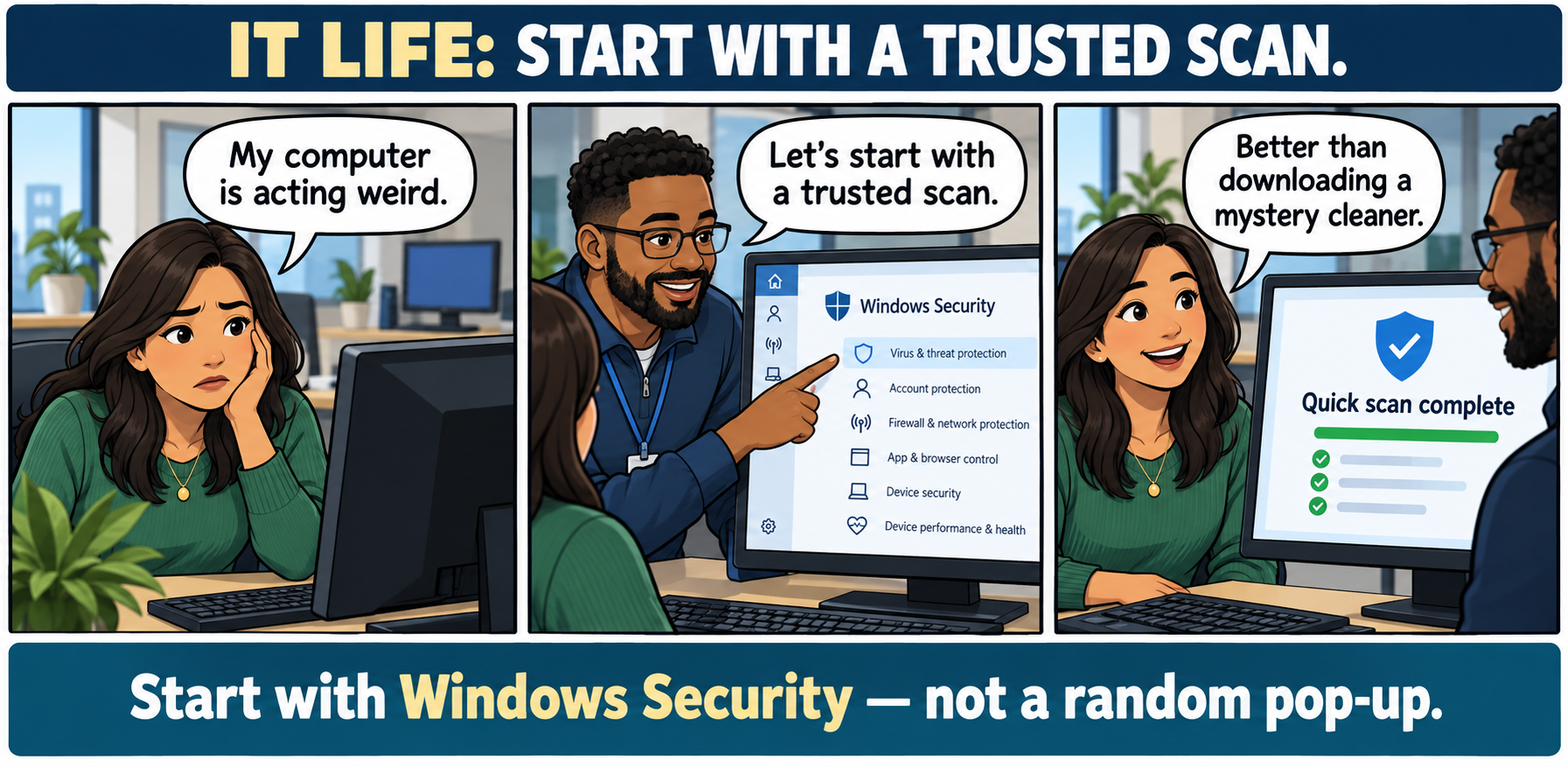
Comic transcript
Title: IT LIFE: START WITH A TRUSTED SCAN
Panel 1: An office worker says, “My computer is acting weird.”
Panel 2: A technician opens the built-in Windows Security app and says, “Let’s start with a trusted scan.”
Panel 3: The screen reads “Quick scan complete.” The worker says, “Better than downloading a mystery cleaner.”
Footer: Start with Windows Security — not a random pop-up.
Two jokes for your coffee break
1. The patient hacker
Why did the hacker bring a folding chair?
Because the computer said, “Please wait while we install updates.”
2. The suspicious fish
Why did the fish report the email?
It recognized the bait.
Sysadmin horoscope for October 1
Entertainment only. These are playful workday prompts inspired by today’s published horoscope, not technical, financial, medical, or business advice.